home
home
 contact us
Working simulteneously with multiple projects and systems
2013-07-10 10:07:06 , by
The application allows you to open and handle simulteneously multiple projects and systems.
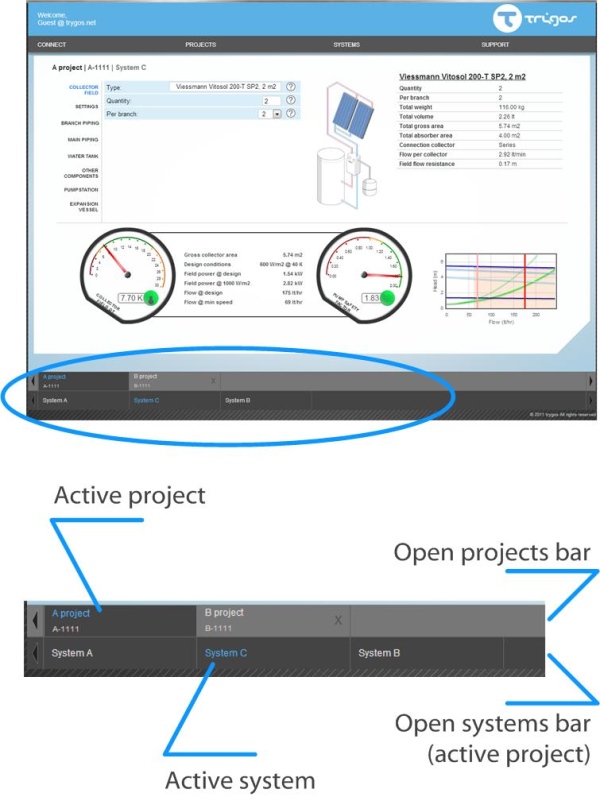
Any open projects are displayed on the "Project bar".
The open systems of the active project are displayed on the "System bar".
The active project / system has its name in blue font in its tab.
Note only open systems of the active project are displayed. If your active project contains additional systems that are not displayed you can open them using the menu SYSTEM / OPEN.
You can activate any project or system by clicking on its tab.
Leave a comment